
A colorful viewer for the history of a git repository.
Linux and Windows desktop app, driven from the keyboard.
Download · Keys · Build from source
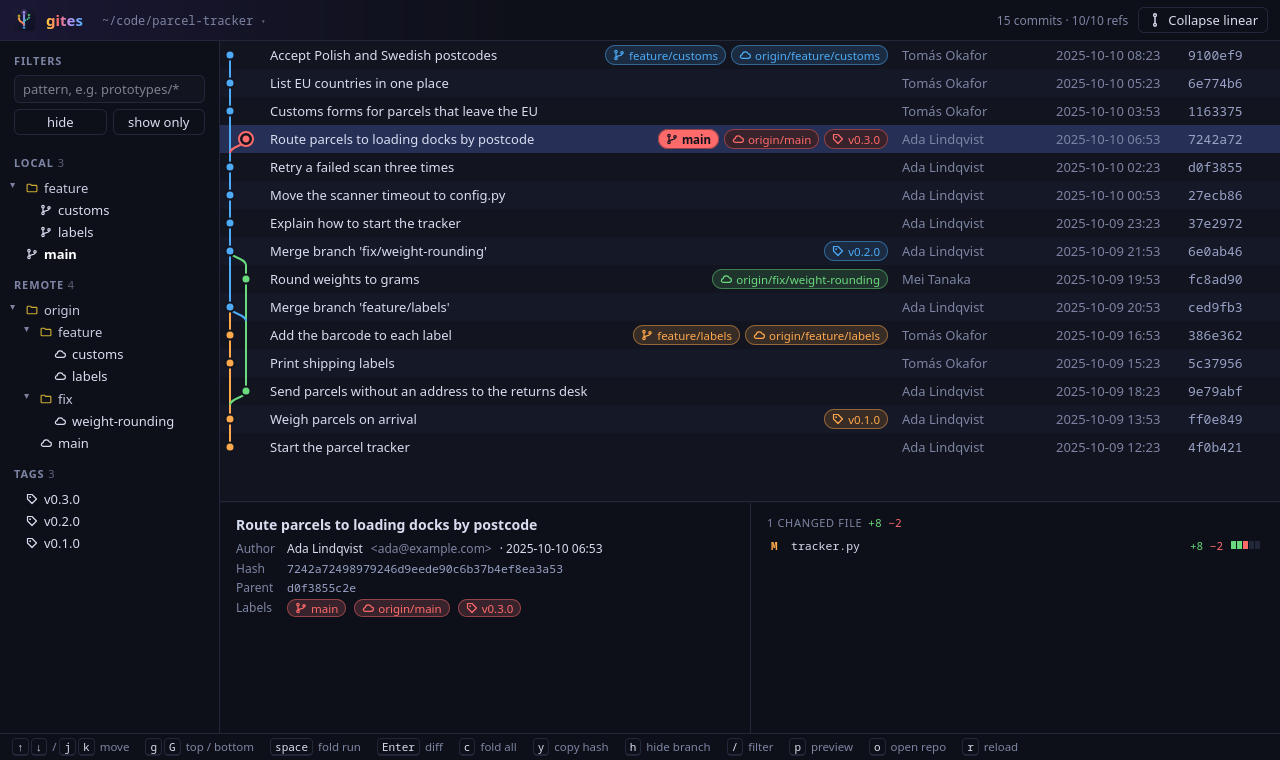 ## What it does - **Draws the commit graph.** Every branch gets its own color. Labels on each commit show local branches, remote branches and tags, and the checked-out commit is ringed. - **Hides what you don't need.** Hide one branch with its eye button in the sidebar, or with h on a commit. Type a pattern such as `prototypes/*` and choose **hide** or **show only**. The eye next to **Tags** hides all tags, also tags added later. gites remembers the filters of each repository. - **Folds long straight stretches.** Commits in a row that have no branch, tag, fork or merge fold into one dotted line. c folds all of them, space opens or closes the one at the selected commit. - **Shows the selected commit** in a panel at the bottom: the full message, the author and committer, the hash (click to copy), the parents (click to go there), and the files it changed with the number of added and removed lines. - **Shows what changed in a file.** Click a file in the panel, or press Enter for the first one. Choose one of three layouts with v: - **One column**, as `git diff` prints it. - **Side by side**, the old file on the left and the new one on the right. - **Inline**, one line per changed line, with removed words struck out and added words marked. Best for prose, such as Markdown. In every layout, the words that changed inside a line are marked. - **Opens other repositories** from a list of recent ones, or from a folder picker (o). - **Opens repositories on another machine.** Write the place as `[user@]host:path`, for example `gites myserver:/srv/app`, or choose **Open on another machine…** in the repository menu (o) or on the welcome screen. `host` can be any host name from your `~/.ssh/config`; that file is also where a port other than 22 goes. gites runs git on that machine through ssh, so git must be installed there. It logs in with your ssh keys or the ssh agent and never asks for a password, so a login that needs a password does not work. You see the history of the repository on that machine: its own branches and its checked-out branch, as for a repository on this computer. - **Stays current.** gites reloads the repository when its window gets focus again. 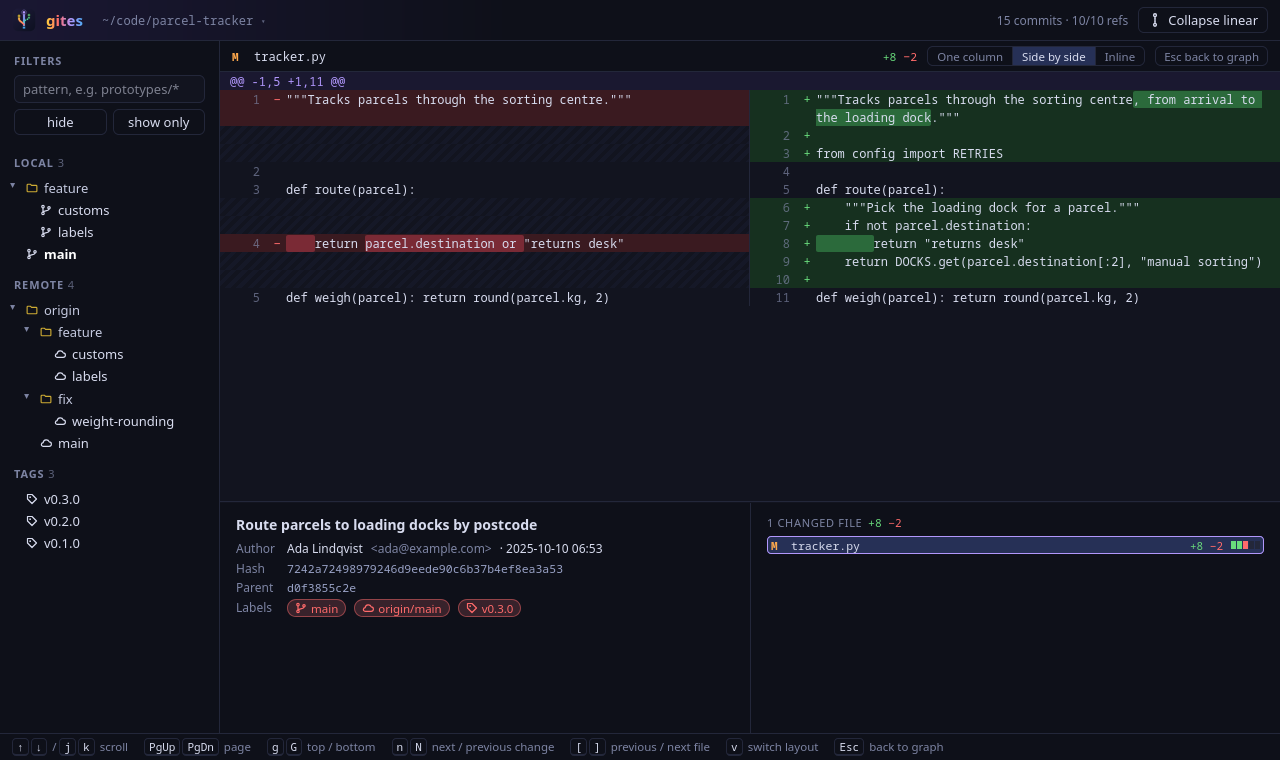 ## Install Download a package from the [releases page](https://git.wrobel.it/szaman/gites/releases): | System | File | |---|---| | Debian, Ubuntu | `gites_